Interactions vs Reviews
Interactions vs Reviews: tracking how Google Business Profile activity converts
The Interactions vs Reviews chart on your Dashboard shows how much customer activity your Google Business Profile is getting each month — and how much of that activity turns into actual reviews.
Before you start
- This chart needs a connected Google Business Profile for the selected location. If yours isn't connected yet, go to the Locations page to connect it first.
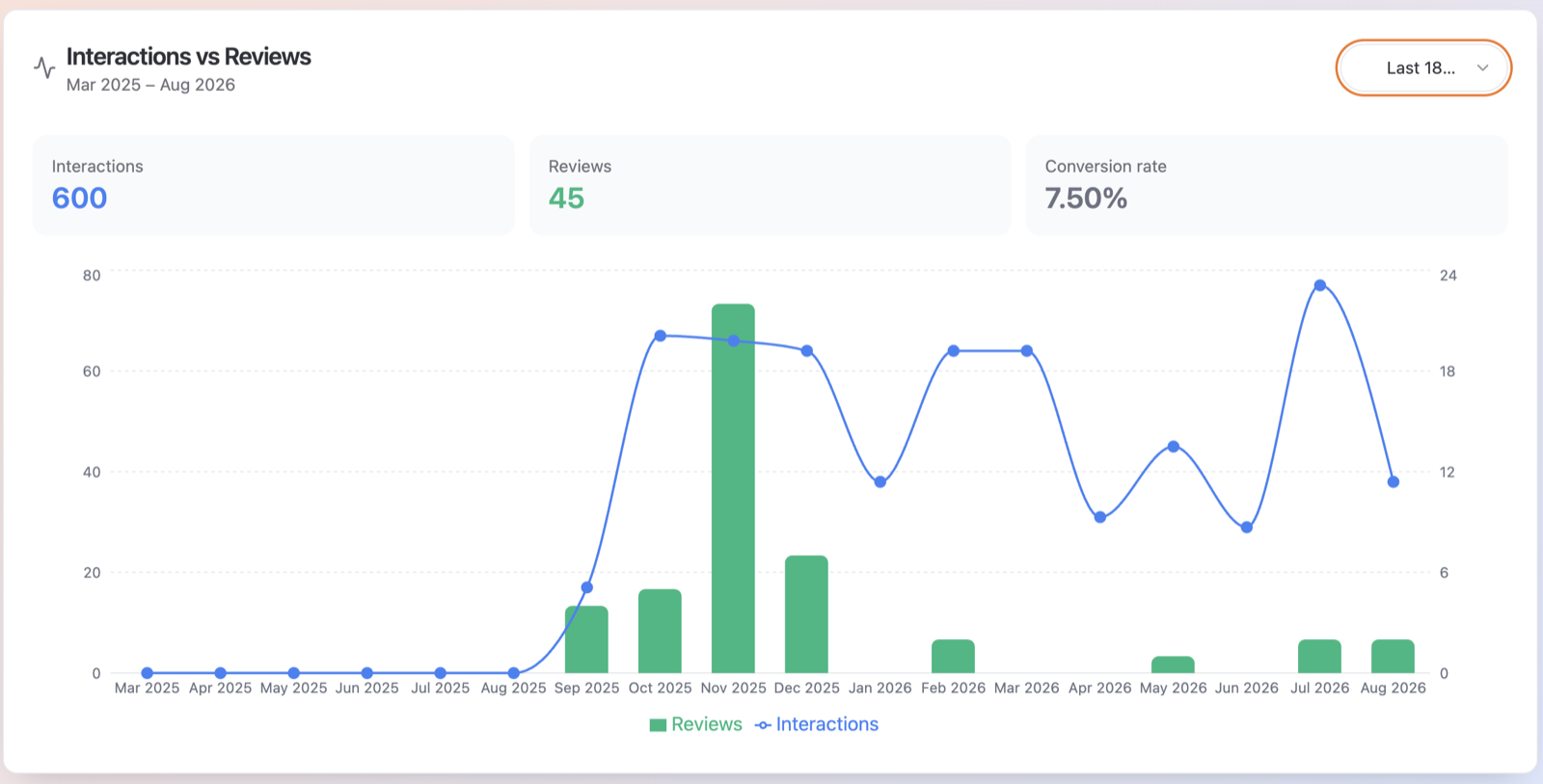
What the numbers mean
The card has three stat tiles:
- Interactions — the total number of times customers engaged with your Google Business Profile in the period. This adds up phone calls, website clicks, direction requests, bookings, conversations and food orders.
- Reviews — the number of new reviews received per month.
- Conversion rate — reviews divided by interactions, shown as a percentage. In other words: of all the people who engaged with your profile, how many left a review.
Below the tiles, the chart combines green bars (**Reviews**) with a blue line (**Interactions**) so you can see both trends month by month. A subtitle under the title shows the exact date range, for example "Mar 2026 – Aug 2026".
How to use it
- On the Dashboard, scroll down to the Interactions vs Reviews card.
- Use the dropdown to pick a range: Last 6 Months, Last 12 Months or Last 18 Months.
- Hover over the chart to see the exact per-month values for interactions and reviews.
How to read it
- High interactions, low reviews — plenty of people are finding and contacting you, but few leave reviews. This is a great signal to start (or push harder on) review requests to your customers.
- Interactions and reviews rising together — your visibility and your reputation are growing hand in hand.
- A sudden drop in interactions — check that your Google Business Profile information (hours, phone, website) is up to date on the Locations page.
Tips
- The conversion rate for most local businesses is small — single digits are normal. Watch the trend over time rather than the absolute number.
- Compare the Last 6 Months and Last 18 Months views to see whether recent months are above or below your longer-term normal.
Troubleshooting
- "No interaction data for this period." — Google hasn't reported any activity data for the selected range. This usually means the Google Business Profile was connected recently, or the profile simply has no recorded activity for those months. Try a longer range, or check back later.